Your home should be the place where your family feels safest. However, protecting a house involves more than locking the front door before going to bed. From choosing the right outdoor lighting to securing connected devices, a few thoughtful changes can help reduce everyday risks and give your household greater peace of mind.
The good news is that improving home security does not always require an expensive alarm system or complicated technology. Simple habits, affordable upgrades, and smart home devices can work together to create a safer living environment.
In this guide, we will explore practical home security tips that homeowners and renters can use to protect their families, strengthen their home’s entry points, and make better use of modern smart home technology.
1. Start With Strong Doors and Window Locks
Even a smart home system needs a solid physical foundation. Before investing in cameras or connected alarms, check that your doors and windows are properly secured.
Inspect exterior door frames, hinges, strike plates, and locks for signs of wear. A sturdy deadbolt and reinforced strike plate can improve resistance to forced entry. Sliding doors should have functioning locks and, where appropriate, a manufacturer-approved secondary security device.
Windows also deserve attention, particularly those on the ground floor or hidden from street view. Make sure every window closes properly and that its lock works as intended.
An easy improvement: Create a quick evening routine in which one family member checks the doors, accessible windows, garage entry, and other exterior access points.
If you rent your home, ask your landlord about damaged locks or other security concerns before making permanent changes.
2. Install Smart Security Cameras in Strategic Locations
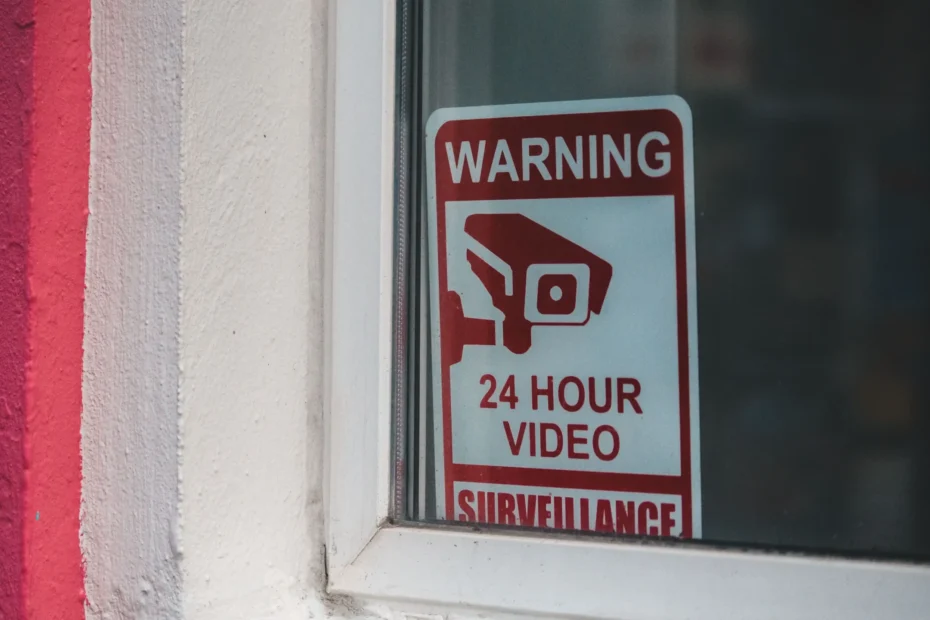
Smart security cameras can help you monitor important areas around your property and receive notifications when activity is detected. Depending on the model, they may offer motion detection, night vision, two-way audio, and cloud or local video storage.
You do not necessarily need a camera in every room. Start with locations that provide the most practical benefit, such as:
- The main entrance and front porch.
- The driveway or garage entrance.
- A side gate or another vulnerable exterior access point.
- A rear entrance that is difficult to see from the street.
Choose cameras that provide a clear view of the intended area without unnecessarily recording neighbors or private spaces. Position outdoor cameras at a suitable height and test their night vision before relying on them.
It is equally important to secure the camera account, enable available multifactor authentication, and install software updates. Review recording settings and decide how long footage should be retained.
For additional guidance, consult the Federal Trade Commission’s guide to securing home security cameras.
Smart tip: Set motion alerts for selected areas and times instead of receiving notifications for every passing car, pet, or moving tree branch. This can make important alerts easier to notice.
Remember that cameras support a broader security plan; they do not physically prevent entry or replace emergency services.
3. Use Smart Doorbells to Monitor Visitors
A smart video doorbell can help you see who is at the entrance without opening the door. Many models allow you to speak with visitors through a smartphone, even when you are away from home.
This feature can be useful for checking deliveries, communicating with expected guests, and noticing unexpected activity around the front entrance.
When selecting a video doorbell, look for features that match your needs:
- Clear video in daylight and at night.
- Adjustable motion detection zones.
- Reliable notifications and a stable connection.
- Local storage or a cloud plan that suits your budget.
- Strong account security and clearly explained privacy settings.
Avoid sharing live camera access with people who do not need it. If you give household members access, use the manufacturer’s individual user permissions whenever possible.
A simple family rule: Everyone should know how to respond when an unfamiliar person rings the bell. Children should never be expected to open the door to strangers, even when a visitor claims to know the family.
4. Improve Outdoor Lighting Around Your Property
Good lighting is one of the most practical and accessible home security improvements. Illuminating entrances, pathways, and dark corners helps family members move around safely and makes it easier to identify visitors.
Motion-activated lights can be particularly useful around garages, side entrances, and backyards. They turn on when movement is detected, reducing unnecessary energy use compared with leaving every outdoor light on throughout the night.
For a more connected setup, smart outdoor lights can be programmed to follow a schedule or work with compatible motion sensors.
Consider these lighting ideas:
- Install suitable lights near exterior doors.
- Illuminate steps, walkways, and uneven surfaces.
- Use motion sensors in darker areas of the property.
- Avoid directing bright lights into neighbors’ windows.
- Check outdoor fixtures regularly for damaged wiring or water intrusion.
Lighting can also improve visibility for visitors and reduce the chance of trips and falls. Choose weather-rated equipment and use a qualified electrician when installation involves electrical work beyond your experience.
5. Secure Your Smart Home Wi-Fi Network
A connected security camera, smart lock, or video doorbell relies on more than its physical installation. Its online account and network also need protection.
A poorly secured router can expose connected devices to unnecessary risks. Fortunately, several important improvements are relatively straightforward.
Follow these smart home cybersecurity practices:
- Change default passwords. Replace factory-set credentials on your router and connected devices with strong, unique passwords.
- Use modern Wi-Fi security. Enable WPA3 where supported, or WPA2 with appropriate security settings if WPA3 is unavailable.
- Enable multifactor authentication. Protect smart home accounts with an additional verification step whenever the service offers it.
- Install updates. Keep router firmware, camera software, phone apps, and other connected devices updated.
- Review connected devices. Remove old devices you no longer use and investigate unfamiliar devices on your network.
- Consider a guest or separate network. If your router supports it, use network separation for guests and compatible smart home devices.
Do not assume that a device is secure simply because it comes from a familiar brand. Check whether its manufacturer provides ongoing security updates and clear privacy controls.
The Federal Trade Commission’s guide to securing internet-connected devices offers further practical advice.
6. Consider Smart Door Locks and Entry Sensors
Smart locks can make everyday access more convenient while providing additional ways to manage entry. Depending on the model, you may be able to lock the door remotely, assign temporary access codes, or review an activity log.
These features can help families manage access for trusted visitors, cleaners, or other authorized people without sharing a permanent physical key.
Before installing a smart lock, check that it fits your door, works with your existing hardware, and has a dependable backup method for power or connectivity problems. Keep a traditional key or another manufacturer-approved entry option available when supported.
Door and window sensors offer another useful layer of protection. These small devices detect when an opening is opened and can trigger an alarm or smartphone notification through a compatible system.
For better results:
- Place sensors on frequently used exterior doors.
- Consider accessible ground-floor windows.
- Test the sensors after installation.
- Review battery levels and replace batteries when needed.
- Create a clear procedure for responding to an alert.
Smart locks and sensors should complement strong doors and reliable locks rather than replace them.
7. Make Your Home Look Occupied When You Are Away
An empty-looking home can attract unwanted attention. While no technique guarantees that a property will be left alone, maintaining ordinary household routines can help avoid obvious signs of an extended absence.
Smart lighting offers a convenient way to manage lights while traveling. Rather than switching every light on at the same time each evening, create a schedule that reflects normal household activity.
Other helpful steps include:
- Arrange for someone trusted to collect mail and deliveries.
- Ask a neighbor to check on the property if appropriate.
- Secure garage doors and exterior storage areas.
- Avoid publicly announcing travel dates while you are away.
- Keep spare keys out of obvious hiding places.
If you use a smart home hub, review its away mode and automation options. Some systems can coordinate lights, selected sensors, and notifications from one place.
Make sure automated routines behave as expected before leaving. A schedule that fails because of a disconnected device or incorrect time setting should not be your only security measure.
8. Add Smoke Alarms and Carbon Monoxide Protection
Home security also includes protection against hazards inside the house. Smoke alarms and carbon monoxide alarms can provide essential warnings that help occupants respond to dangerous conditions.
Install the appropriate alarms according to local requirements and the manufacturer’s instructions. Test them regularly, follow recommended battery and replacement schedules, and ensure household members know what to do when an alarm sounds.
Connected alarms may send notifications to a phone, depending on the model and service. However, remote alerts should never be treated as a substitute for functioning alarms that can warn people inside the home.
Develop a simple family escape plan that includes:
- Two possible escape routes from sleeping areas where feasible.
- A designated outdoor meeting point.
- Instructions for helping children or family members who need assistance.
- Practice drills so everyone understands the plan.
Do not disable an alarm because it sounds inconvenient. If an alarm indicates a possible fire or carbon monoxide emergency, follow its instructions and contact local emergency services as appropriate.
For fire safety guidance, visit the U.S. Fire Administration.
9. Create a Family Security Routine Everyone Can Follow
Technology works best when everyone in the household understands how to use it. A camera notification is less useful if nobody knows which app to open, while a sophisticated alarm system can become unreliable if family members regularly forget to activate it.
Keep your routine simple enough to follow every day.
A practical daily checklist:
- Lock exterior doors and accessible windows before bedtime.
- Check that the garage door is closed.
- Activate the alarm or appropriate night mode.
- Confirm that important security devices are online.
- Keep phones charged and emergency contacts accessible.
- Make sure children understand basic rules for answering the door and contacting a trusted adult.
Once a month, review device batteries, software updates, access permissions, and emergency procedures. Test equipment according to its manufacturer’s recommendations.
You can make this easier by assigning age-appropriate responsibilities to household members. For example, an adult can review the alarm status while an older child checks that their own bedroom window is closed.
The goal is consistency, not complexity. A routine that takes a few minutes and is followed regularly is more useful than an elaborate system that nobody remembers to use.
10. Protect Your Privacy While Using Smart Security Devices
Smart technology can improve awareness of your property, but cameras, microphones, location features, and activity logs may collect sensitive information.
Before buying a device, find out what data it collects, where recordings are stored, how long they are retained, and whether a paid subscription is necessary for important features.
Take these additional precautions:
- Disable unnecessary recording or microphone features.
- Use privacy zones where available.
- Restrict access to live feeds and recorded footage.
- Review permissions granted to companion smartphone apps.
- Remove access for former household members or service providers when it is no longer needed.
- Reset devices properly before selling or giving them away.
Avoid placing cameras where household members or visitors reasonably expect privacy, such as bathrooms or private changing areas. Follow applicable privacy laws when recording people outside your property.
For more detailed advice, read the National Institute of Standards and Technology’s smart home privacy and security tips.
A safer smart home is not just one that detects activity. It is one that protects the family’s personal information as well.
11. Build a Budget-Friendly Home Security Plan
You do not have to purchase every smart device at once. A gradual approach helps you prioritize important improvements without spending more than necessary.
Here is one practical way to organize your efforts:
| Priority | Improvement | Main benefit |
|---|---|---|
| First | Check doors, windows, and locks | Strengthens basic physical security |
| First | Secure Wi-Fi and device accounts | Reduces avoidable digital risks |
| First | Test smoke and carbon monoxide alarms | Improves awareness of household hazards |
| Next | Improve exterior lighting | Increases visibility around entrances |
| Next | Add door and window sensors | Provides alerts about selected openings |
| Later | Install a video doorbell or security camera | Helps monitor entrances and activity |
| Optional | Add smart locks and connected lighting | Improves access management and automation |
The best order depends on your home’s condition, household needs, and budget. If your doors do not lock properly or your smoke alarms are missing, address those issues before spending money on advanced automation.
When comparing smart home devices, consider the total cost of ownership, including batteries, subscriptions, replacement parts, and future software support.
Frequently Asked Questions
What is the easiest way to improve home security?
Start by checking all exterior doors and windows, improving outdoor lighting, and establishing a consistent locking routine. Then secure your Wi-Fi network and consider adding a sensor or camera if it addresses a specific need.
Are smart home security systems worth it?
They can be useful for households that want remote alerts, video monitoring, or automated lighting and access control. Their value depends on installation costs, reliability, privacy practices, ongoing fees, and how well the features fit your household.
Can smart security cameras be hacked?
Internet-connected cameras can be exposed to unauthorized access if accounts, devices, or networks are poorly secured. Use unique passwords, enable multifactor authentication, install updates, and review camera privacy settings to reduce avoidable risks.
Do I need a subscription for home security cameras?
Not always. Some cameras support local storage or basic features without a recurring fee, while others require subscriptions for cloud recording, advanced detection, or longer video history. Check the current terms before purchasing.
How can I protect my home while on vacation?
Secure all entry points, arrange for mail and deliveries to be handled, use realistic lighting schedules, and ask a trusted person to check on the property when appropriate. Avoid relying entirely on automated devices.
What should families do if a security alarm goes off?
Follow the system’s instructions and assess the situation from a safe location. If you suspect an intruder, fire, or another immediate danger, avoid confronting the threat and contact the appropriate local emergency services. Discuss a response plan with your household before an emergency occurs.
Final Thoughts: Small Improvements Can Make a Big Difference
Keeping your family safe begins with practical decisions, not expensive gadgets. Strong locks, reliable alarms, better lighting, secure Wi-Fi, and thoughtful daily habits can form the foundation of a more secure home.
Smart cameras, door sensors, connected lighting, and smart locks can add convenience and useful alerts when they are selected carefully and configured correctly. Just as importantly, protecting your digital privacy helps ensure that the technology designed to safeguard your household does not create unnecessary risks.
Start with one or two improvements that address your home’s most important needs. Test them, establish a routine, and expand your system gradually as your budget allows.
A safer home is built through consistent habits, sensible technology, and a security plan that works for the whole family.
Explore more practical ideas on our blog to make your home smarter, more comfortable, and better prepared for everyday challenges.
Pingback: Indoor Vs Outdoor Security Cameras: Which Do You Need?
Pingback: Are Robot Vacuums Worth It? What To Know Before You Buy